Change Aspect Ratio Without Cropping
Extend and expand your images to any aspect ratio using AI. No cropping, no stretching, no quality loss. Convert between social media formats in seconds.
See It In Action
Watch how AI extends your image to a new aspect ratio without cropping
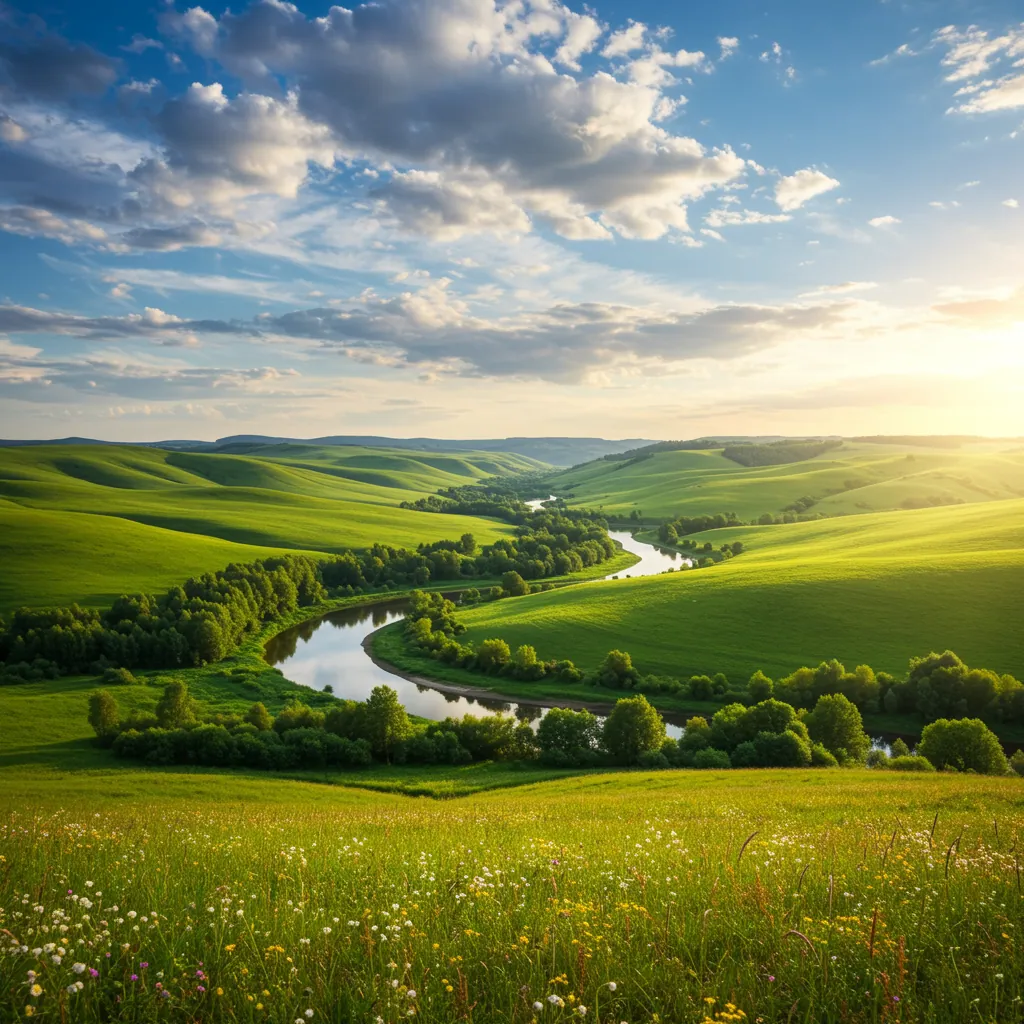
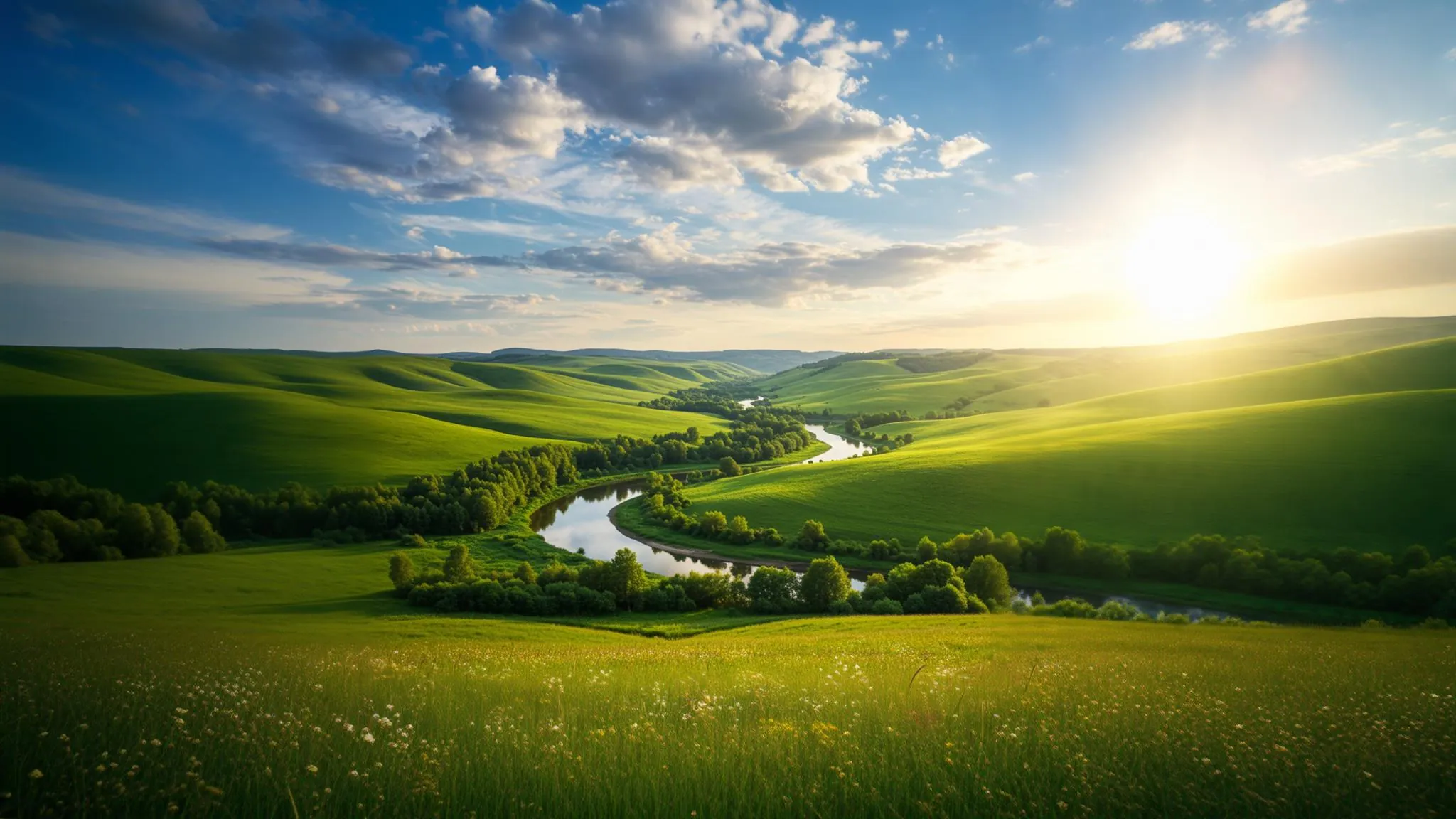
Starting with your original square image...
The Old Way: Crop and Lose
✗ Cropping cuts off important parts of your image
✗ Stretching creates obvious distortion
✗ Adding borders looks unprofessional
✗ Manual Photoshop editing takes hours
The AI Way: Extend and Keep Everything
✓ AI generates new content that matches your image
✓ Keep every pixel of your original
✓ Seamless, professional results
✓ Done in seconds, not hours
AI That Understands Your Images
Extend images intelligently. Our AI analyzes content, matches styles, and generates realistic expansions.
AI-Powered Expansion
Extend your image seamlessly in any direction. Our AI generates matching content to fill new areas while preserving the original.
Social Media Presets
One-click conversion between Instagram (1:1), YouTube (16:9), TikTok (9:16), Twitter (16:9), and LinkedIn formats.
Smart Content Fill
Unlike simple cropping or stretching, our AI understands your image and generates realistic content to extend it naturally.
Preserve Quality
No pixelation or blurring. Output images maintain full resolution with AI-upscaled extended areas.
Custom Ratios
Need a specific aspect ratio? Enter custom dimensions or use standard presets like 4:3, 3:2, 21:9 ultrawide, and more.
Batch Processing
Convert multiple images to the same aspect ratio at once. Perfect for creating consistent social media content.
How to Change Aspect Ratio with AI
Three simple steps to extend your image to any size.
Upload Your Image
Drag and drop any image - photos, graphics, screenshots. All formats supported.
Describe the Extension
"Extend to 16:9 landscape" or "Make it vertical for TikTok with more sky"
Download Extended Image
Get your perfectly resized image in seconds. Full resolution, ready to use.
Popular Ways to Extend Images
See what's possible with AI aspect ratio changes.
Portrait to Landscape
Convert vertical photos to horizontal for YouTube thumbnails or desktop wallpapers
"Extend this portrait photo to 16:9 landscape, continuing the background naturally"
Square to Story
Turn Instagram posts into Stories or TikTok content
"Extend to 9:16 vertical format, adding more sky above and ground below"
Widen Product Shots
Add breathing room around products for banner ads
"Extend image horizontally with clean white background on both sides"
Uncrop Photos
Recover cropped-out areas or add context to tight shots
"Extend this headshot to show more of the shoulders and background"
Every Platform, Every Format
Stop cropping differently for each platform. One image, every size.
Every ratio you need, across every image.
Reframing one image is the easy part. Doing it to fifty, at the exact pixel dimensions each platform expects, is the part worth automating — and every file is checked afterwards rather than assumed.
Exporting to a spec is free — it costs us processing, not AI credits. Credits are only spent when you ask the AI to change the image itself.
Ready to Extend Your Images?
Try ZeroEdit free. Change aspect ratios, extend images, and resize for any platform in seconds.
1 free edit included. No credit card required.
Aspect Ratio FAQ
Common questions about AI image extension
How does AI change aspect ratio without cropping? +
Instead of cropping your image, our AI analyzes the existing content and generates new, matching content to fill the extended areas. This means you keep everything in your original image while adding seamlessly blended content around it.
Can I extend an image in just one direction? +
Yes! You can extend your image in any direction - left, right, top, bottom, or any combination. Just describe what you want, like 'extend to the right with more beach' or 'add more sky above.'
What's the difference between extending and stretching an image? +
Stretching distorts your image and creates obvious artifacts. Our AI extension generates new, realistic content that matches your original image. The subject stays sharp and undistorted while new background or scenery is intelligently added.
Which aspect ratios are supported? +
All of them! We support common presets like 1:1 (square), 16:9 (widescreen), 9:16 (vertical), 4:3, 3:2, and 21:9 (ultrawide). You can also specify any custom ratio or exact pixel dimensions.
Will the extended areas look realistic? +
Our AI is trained on millions of images and excels at generating contextually appropriate content. It analyzes colors, textures, lighting, and composition to create seamless extensions. Results are typically indistinguishable from the original.
Can I use this to make images bigger for printing? +
Yes! Extending your image is perfect for print projects where you need more canvas space. The AI-generated areas maintain quality suitable for high-resolution printing.