
Colorize Black & White Photos
With Realistic Colors.
Upload an old photo, describe the look you want, and watch it come back in lifelike color in seconds. Natural skin, real light, no muddy filter.
See the Difference
Drag the slider to compare the original black & white with AI color
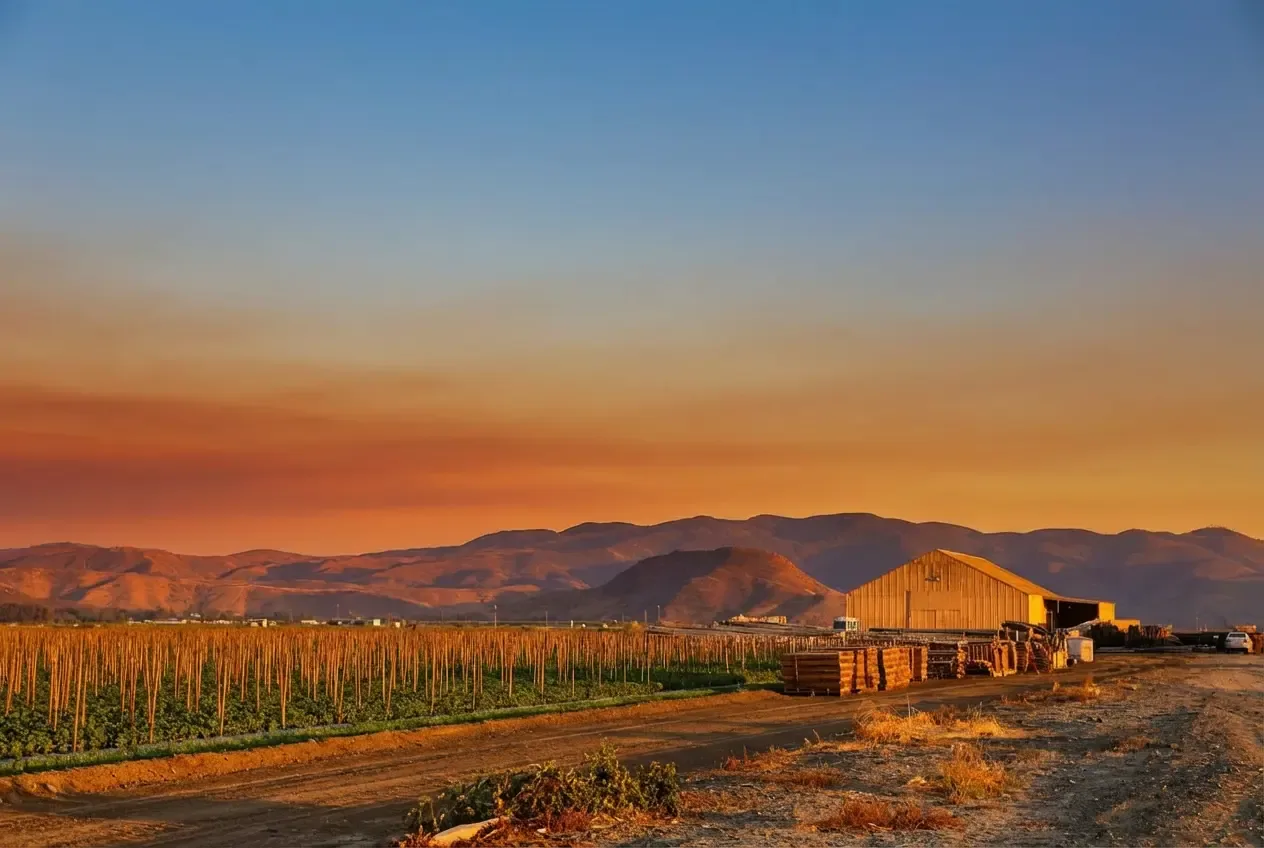
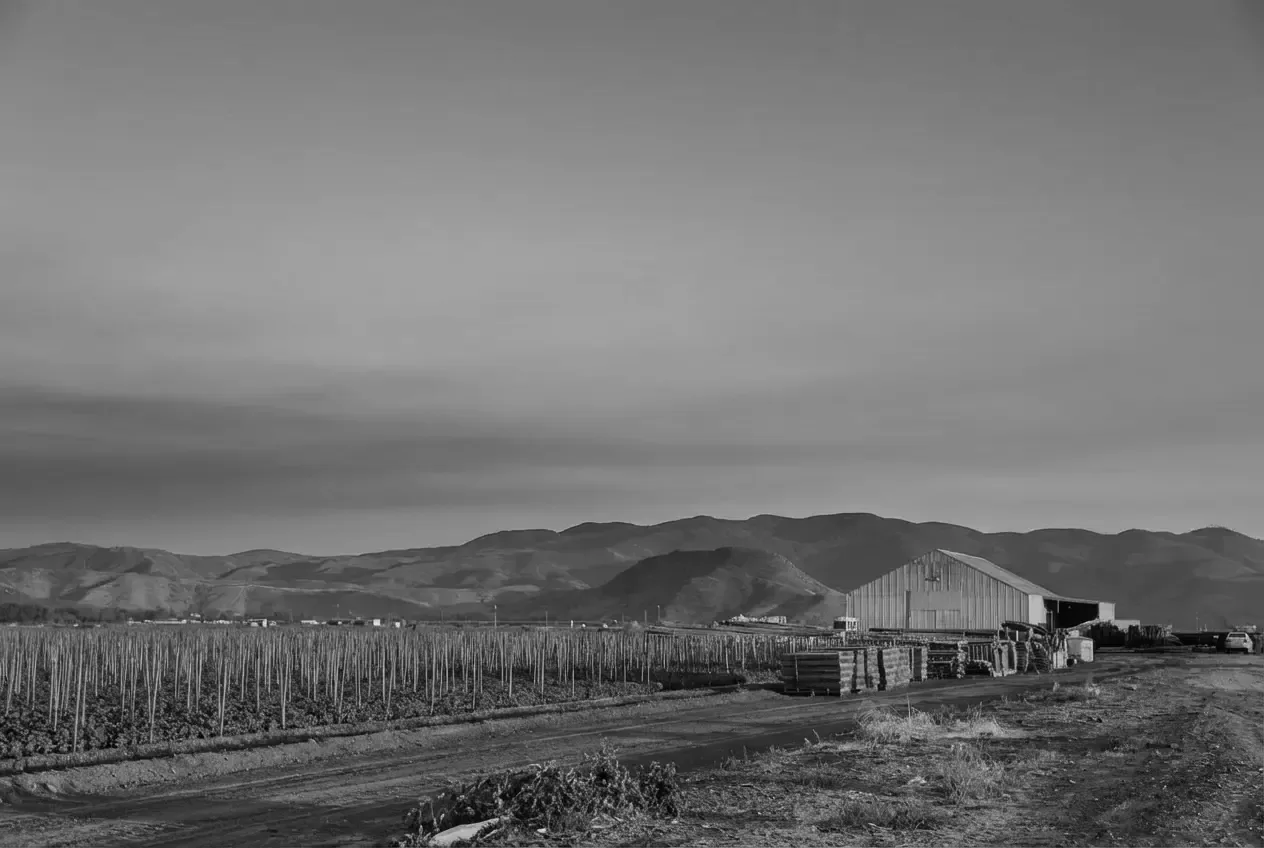
Colorize Any Photo in 3 Simple Steps
No filters to learn, no desktop software. Upload, describe the colors, download.
Upload Your Photo
Drag and drop a black & white scan or file. JPG, PNG, and WebP all work.
Describe the Colors
Type “colorize with realistic colors,” or be specific: era, clothing, sky, warmth.
Download in Color
Get the colorized photo in seconds. Download PNG, WebP, or JPEG.
More Than a Color Filter
Our AI doesn’t paint a wash over the photo—it infers light, materials, and skin so the result looks photographed, not tinted.
Realistic Colors
AI infers natural color from lighting, materials, and era—not a wash of brown and purple. Skies, fabric, and skin look like they belong in the original scene.
Natural Skin Tones
Portraits keep believable skin, lips, and hair instead of the flat orange look common in cheap colorizers. Faces stay the people you recognize.
Prompt the Palette
Know the dress was teal, or want 1950s Kodachrome warmth? Describe it in plain English. The colorizer follows your direction instead of a one-size filter.
Preserve the Original
Grain, composition, and faces stay intact. Color is added on top of the photo you uploaded—no warping, no cartoon look, no lost details.
Old Photo Restoration
Works on scanned prints, faded family portraits, historical archives, and newspaper clippings. Pair with upscaling if the scan is small.
Fast Processing
Get a full-color result in seconds, not a desktop render that takes minutes. Download PNG, WebP, or JPEG when you're happy.
Perfect For Every Use Case
From family archives to restoration work, AI colorization delivers results you can share and print.
Family Archives
Preserve memoriesBring grandparents, wedding days, and childhood prints back in color. Share a photo the family has only ever seen in black and white.
Historical & Genealogy
Archive-readyColorize census-era portraits, town photos, and military pictures for research, exhibits, and family trees without a specialist studio.
Photographers & Restorers
Client-ready outputOffer colorization as a service on client scans. Prompt the known colors, iterate in seconds, and keep the original file intact.
Content & Social
More engagementTurn public-domain B&W photos into scroll-stopping color posts for Instagram, YouTube thumbnails, and editorial stories.
ZeroEdit vs Other Colorizer Tools
See why prompt-based colorization beats a fixed filter pack.
Frequently Asked Questions
Everything you need to know about AI photo colorization.
Can I colorize any black and white photo? +
Yes. Upload a scan, screenshot, or digital B&W file and describe the look you want—or just say “colorize this photo with realistic colors.” Portraits, landscapes, interiors, clothes, and historical scenes all work. Very damaged or tiny scans may need an upscale first.
Are the colors historically accurate? +
The AI infers plausible color from lighting, materials, and context, which looks realistic on most photos. If you know real colors—uniform, dress, car, house paint—add them to the prompt. That beats a one-size filter when accuracy matters.
How is this different from other AI colorizers? +
Most colorizers apply a single look: muddy browns, purple shadows, orange skin. ZeroEdit is prompt-based, so you can steer the palette (“warm 1940s film,” “keep the dress teal”) and keep iterating without a complicated filter UI.
Will colorizing change faces or details? +
No. Color is added while composition, grain, and facial features stay in place. You should recognize the people and the scene—just in color.
How long does colorization take? +
Most photos are ready in 5–15 seconds. You’ll see a full-resolution result you can download as PNG, WebP, or JPEG.
Can I colorize old family photos for printing? +
Yes. Colorize first, then upscale to 4K if the scan is small. That’s the usual path for photo books, canvas prints, and framed gifts.
Ready to Colorize Your Photos?
Join thousands of families and creators using ZeroEdit to restore old pictures. Start with 1 free colorize—no credit card required.
No account required for first colorize