AI clothes changer · Virtual try-on

AI Clothes Changer.
Try any outfit on your own photo

Upload a photo and say what to wear. ZeroEdit changes the clothes and keeps your face, your pose and the background, so you can see an outfit on you before you buy it, pack it or post it.
  • 1 free edit, no card
  • Describe it or add a garment photo
  • Nothing to install
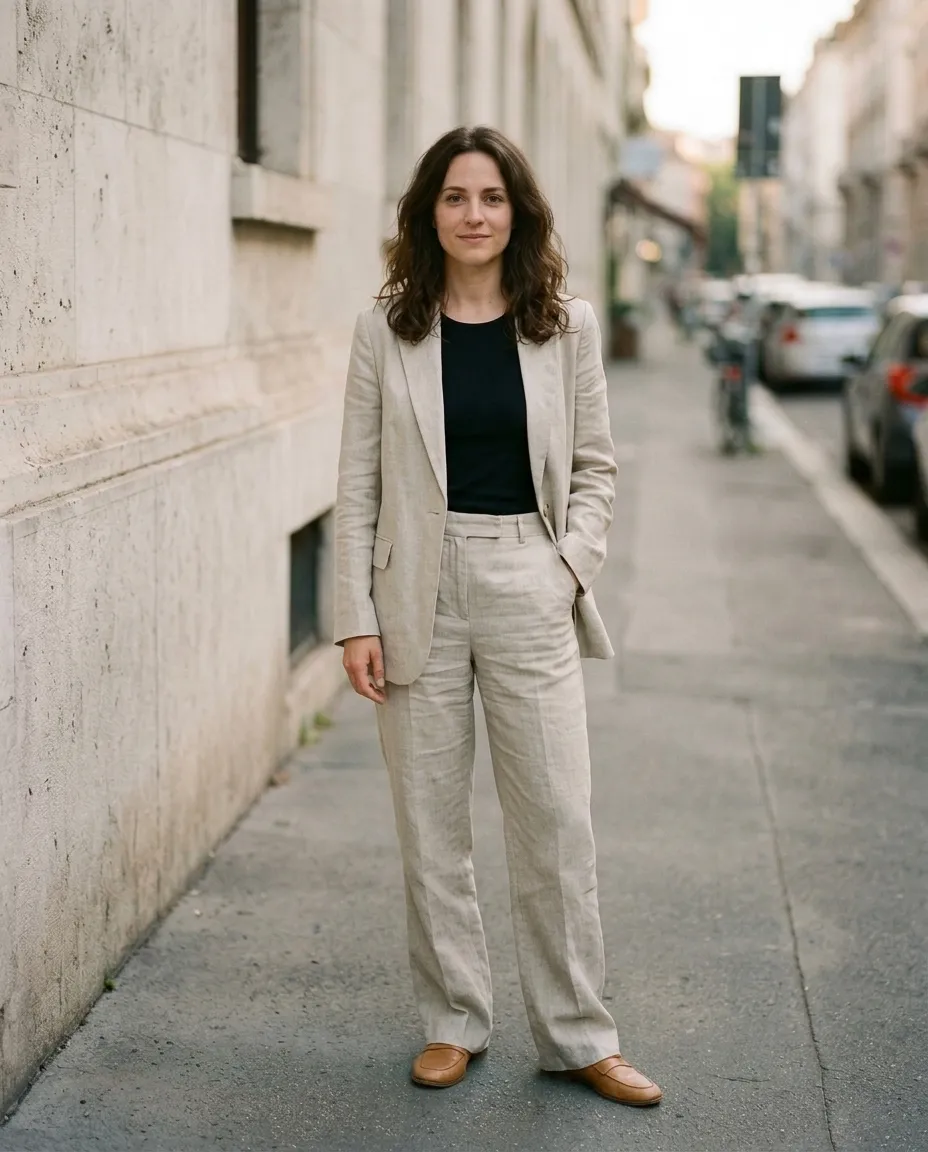
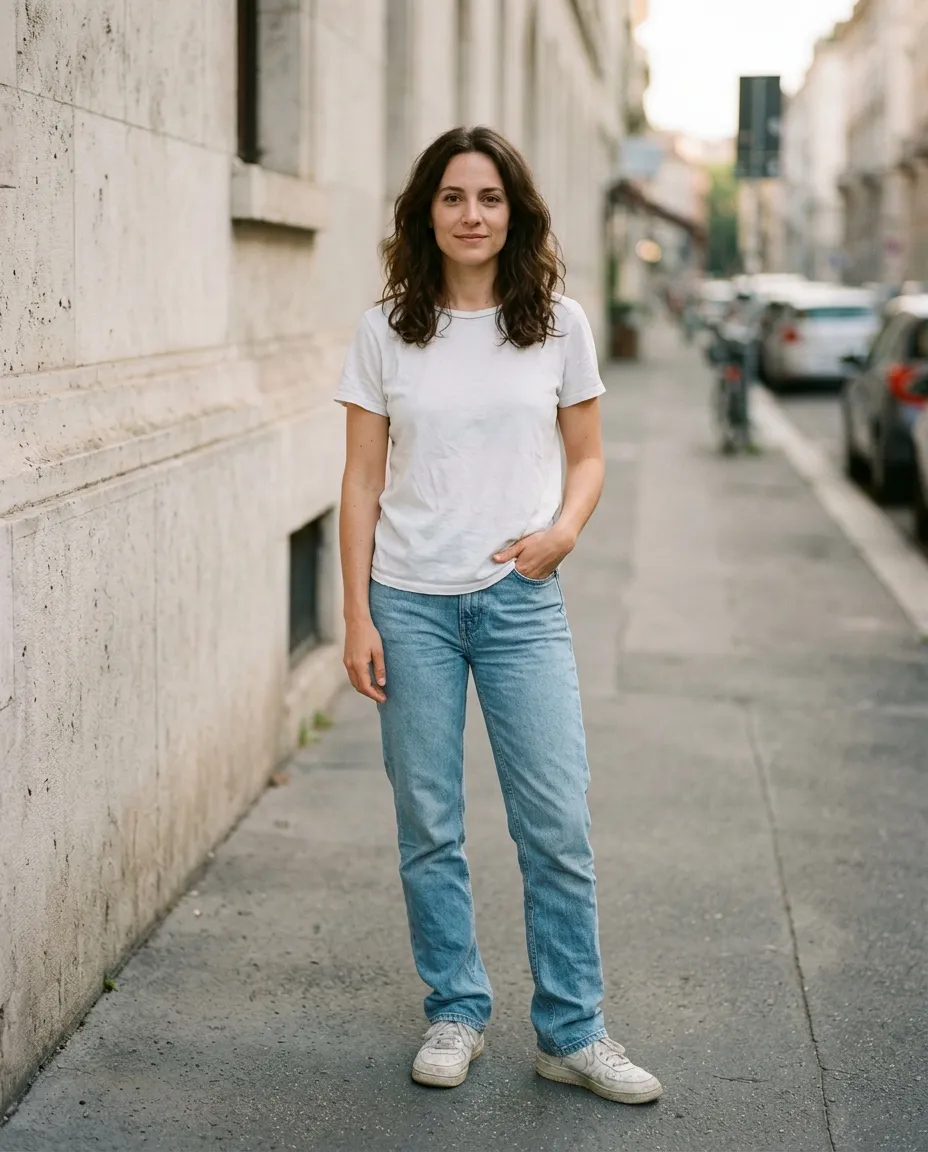
The same woman in the same photo, outfit changed: linen suit Woman on a city street wearing a white t-shirt and blue jeans Original Linen suit
Prompt Change her outfit to a tailored oatmeal linen suit over a black top, with tan loafers
AI outfit changer

One photo, six outfits

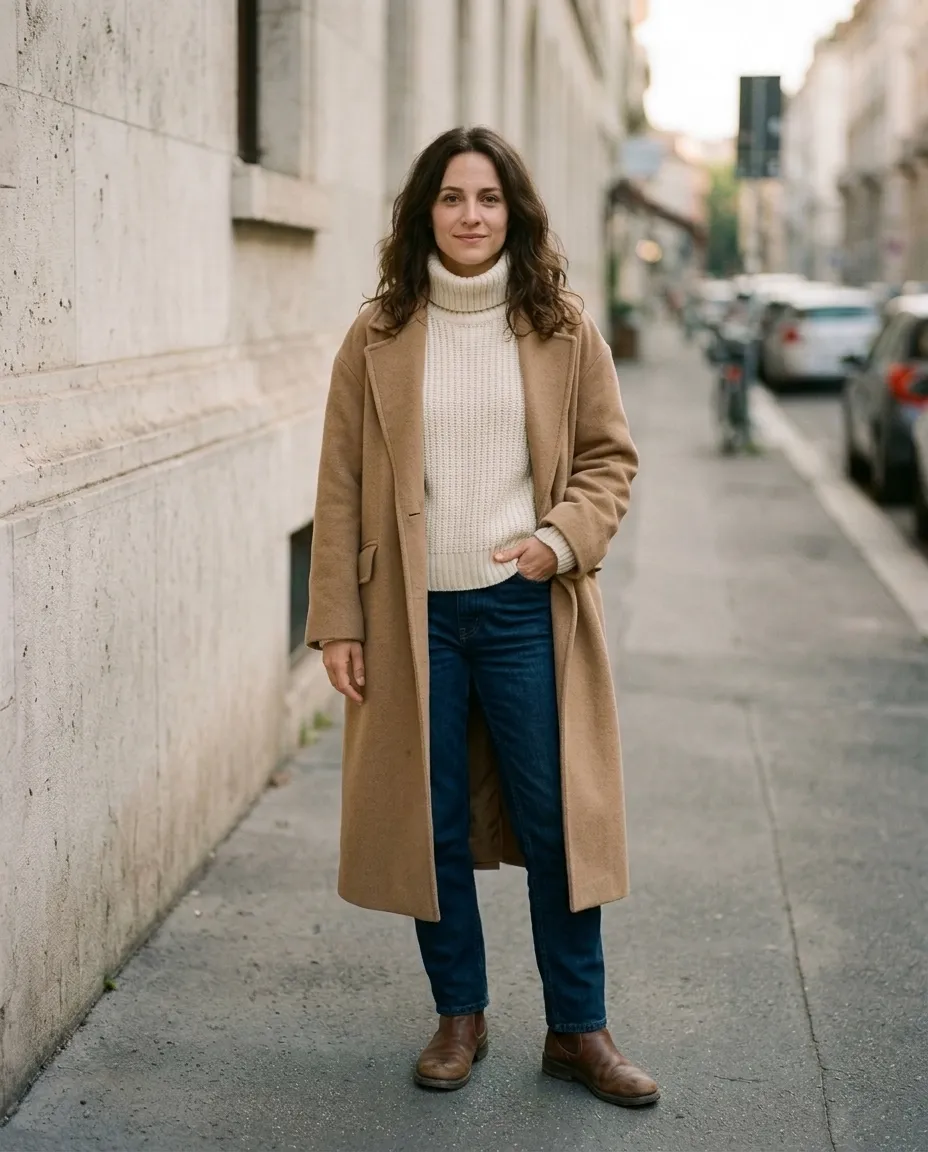
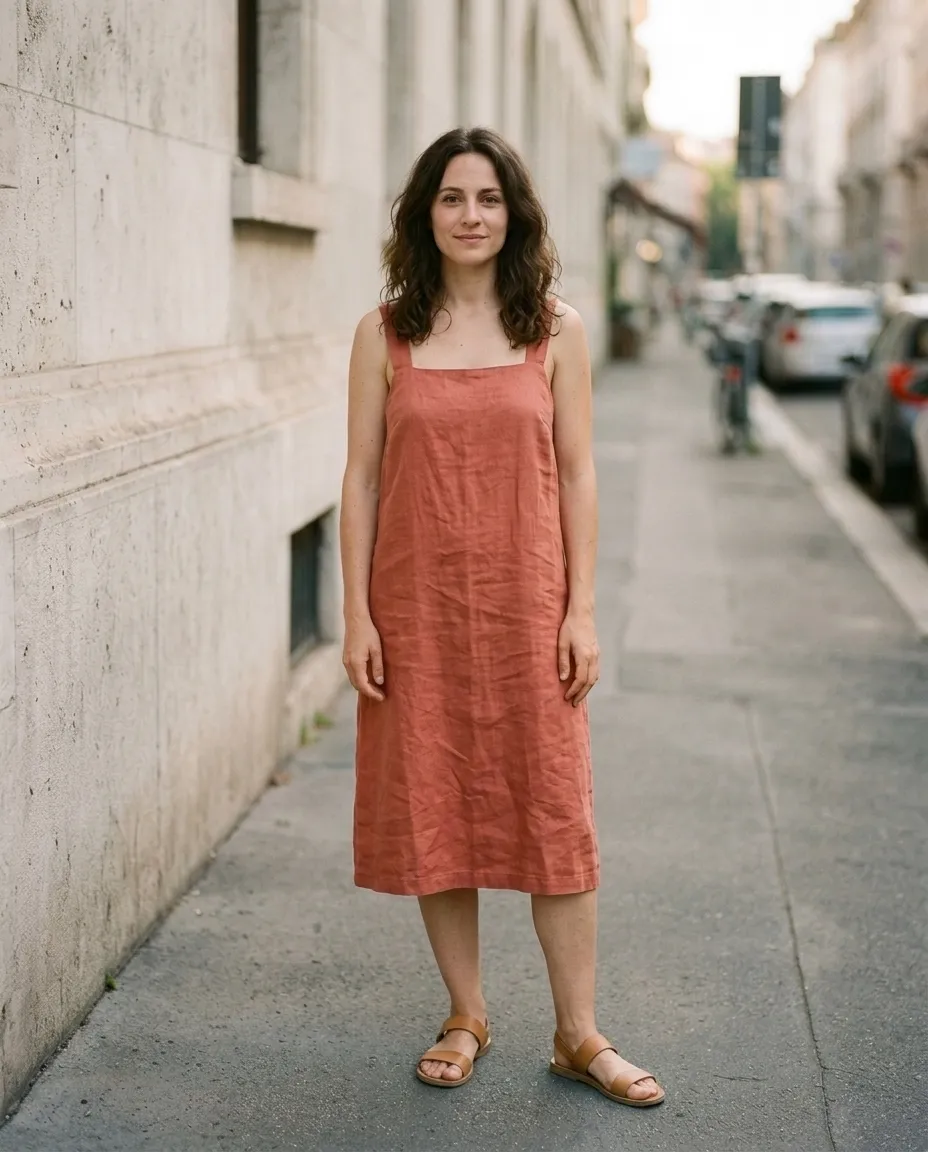
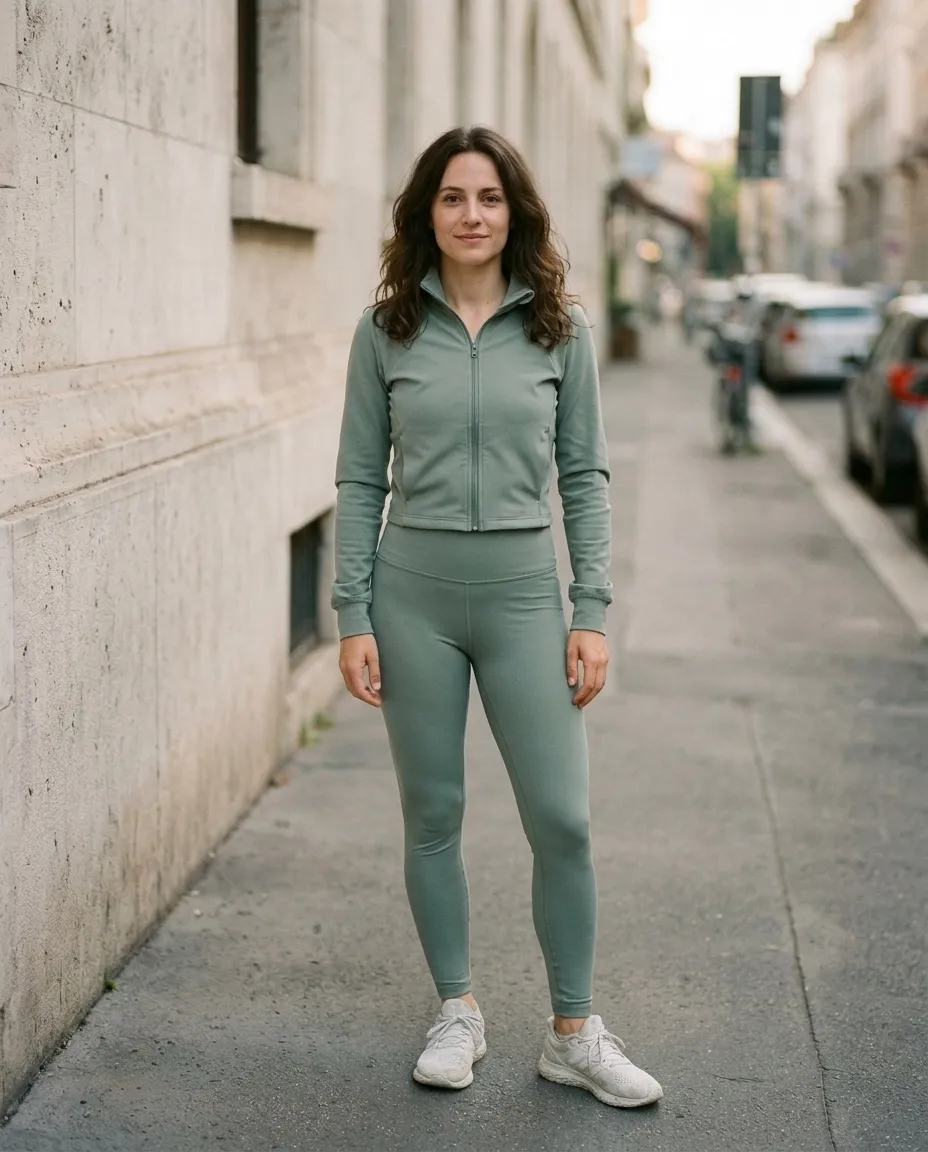
Same person, same street, same light. The only thing that changed between these frames is one sentence of instruction.
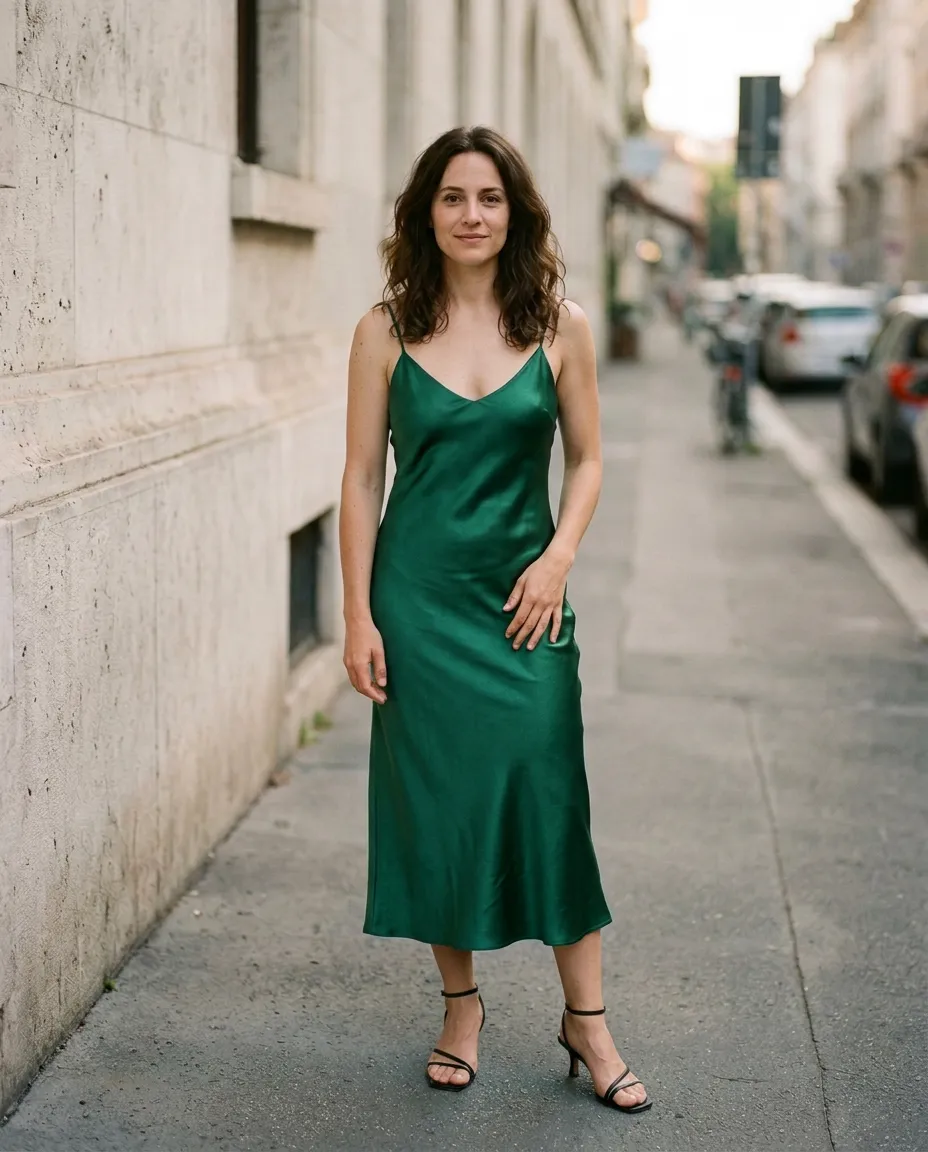
Original photo: woman in a white t-shirt and blue jeans on a city street
00 Original photo
Same photo with the outfit changed by AI: linen suit
01 Linen suit
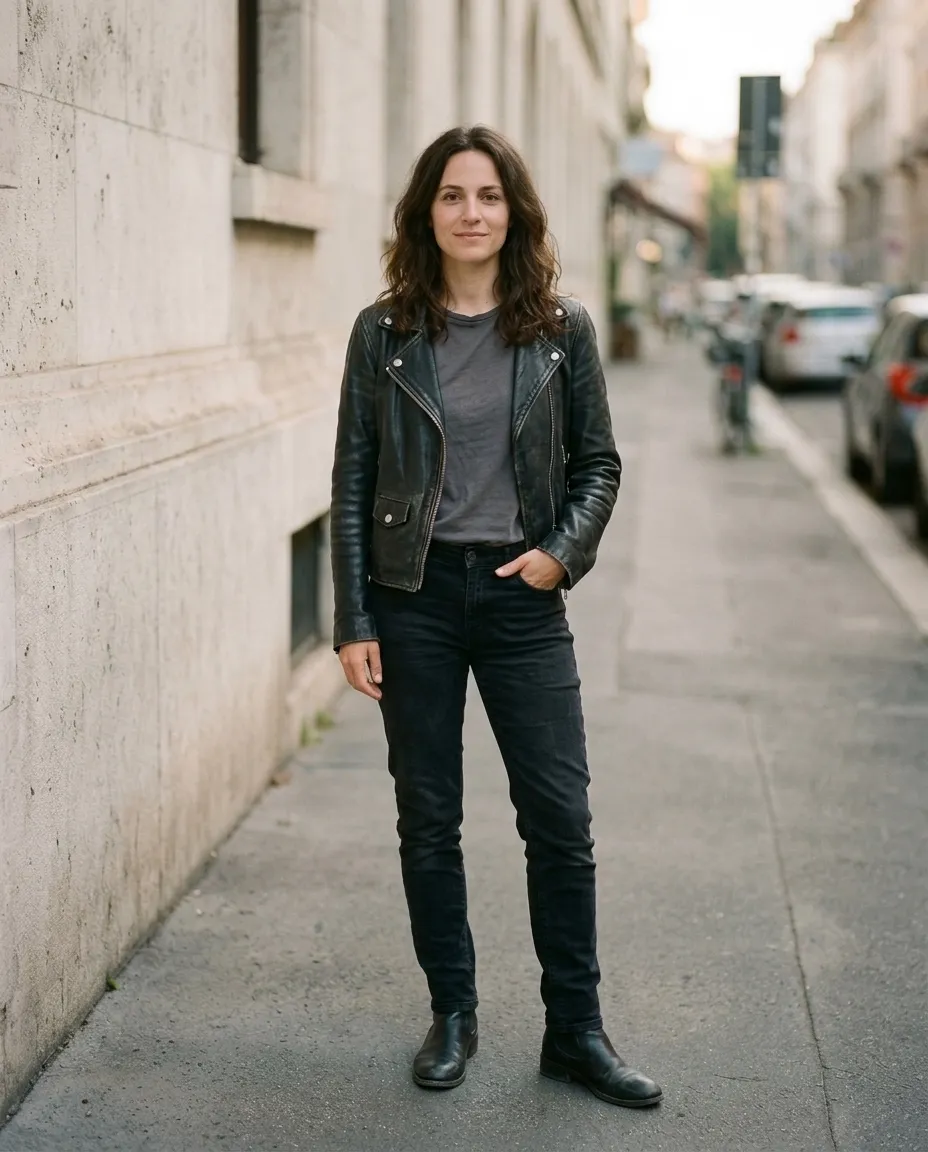
Same photo with the outfit changed by AI: leather jacket
02 Leather jacket
Same photo with the outfit changed by AI: evening dress
03 Evening dress
Same photo with the outfit changed by AI: winter coat
04 Winter coat
Same photo with the outfit changed by AI: summer dress
05 Summer dress
Same photo with the outfit changed by AI: activewear
06 Activewear

The people in these examples are AI-generated. Every edited frame is the unretouched result of one instruction applied to the photo next to it.

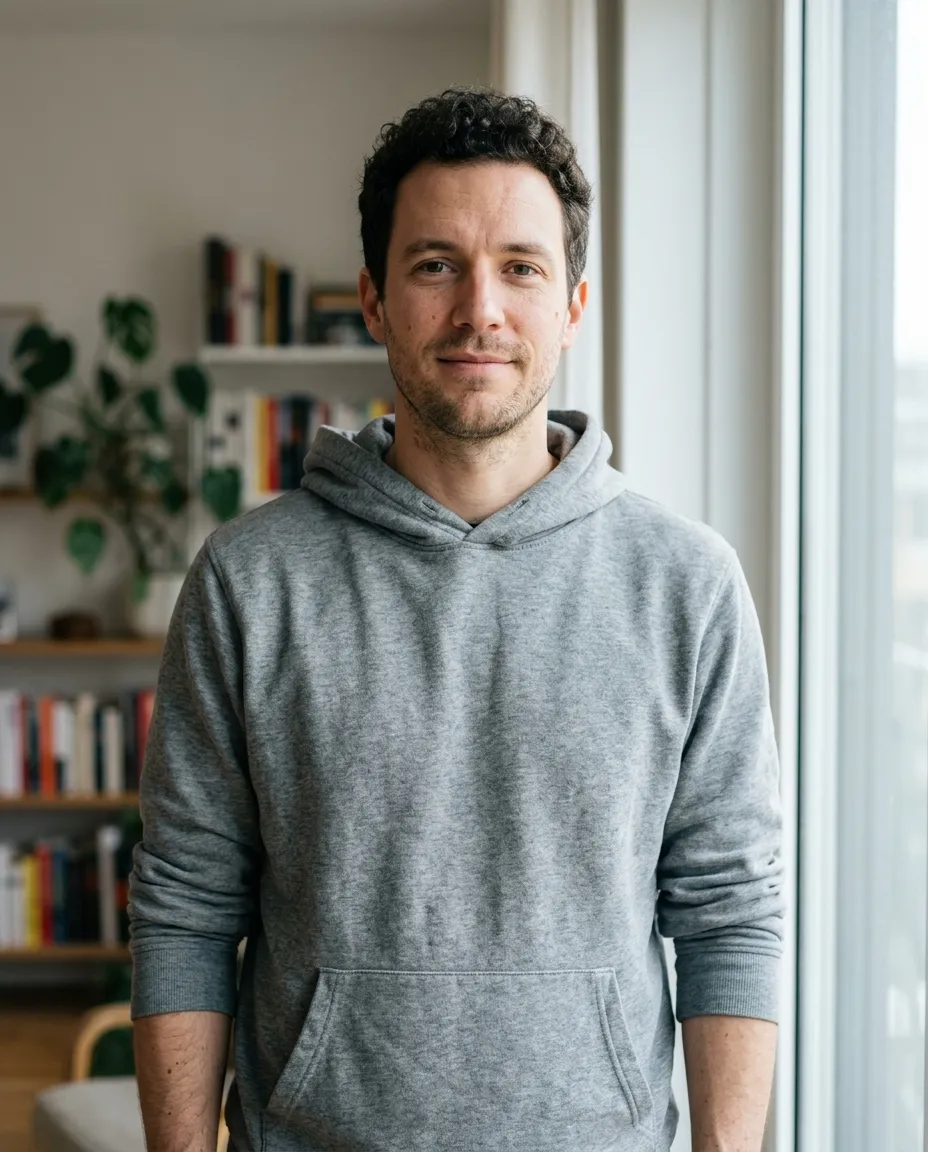
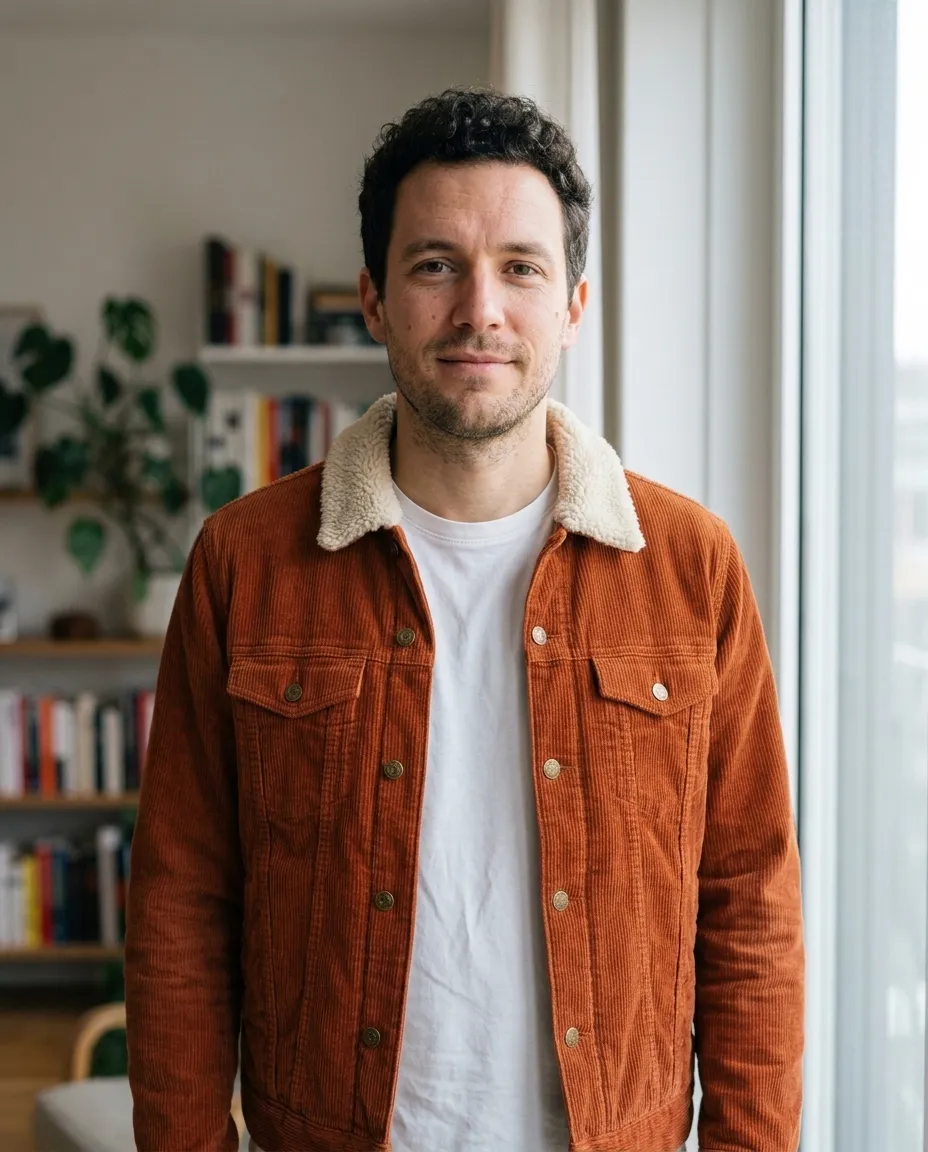
The same man in a navy suit jacket and white shirt, generated from the hoodie photo Man in a grey hoodie standing by a window at home Hoodie Navy suit
Prompt Change his outfit to a fitted navy suit jacket over a white shirt, open collar
Change clothes in a photo

Describe the outfit. Skip the photoshoot.

The quickest way to change clothes in a picture is to say what you want. A photo taken at home in a hoodie becomes a profile picture in a suit, without booking a photographer or owning the suit.

Put a suit on a photo for LinkedIn or a CV
Name the jacket, shirt and colors you want. The face and the room stay as they were.
Plan what to wear
Try a few combinations for a wedding, an interview or a trip on one photo, and compare them side by side.
Fix the one thing that is off
A wrinkled shirt, a logo you would rather not show, a color that clashes with the background. Change that and leave the rest.
Virtual try-on

Try on clothes from a product photo

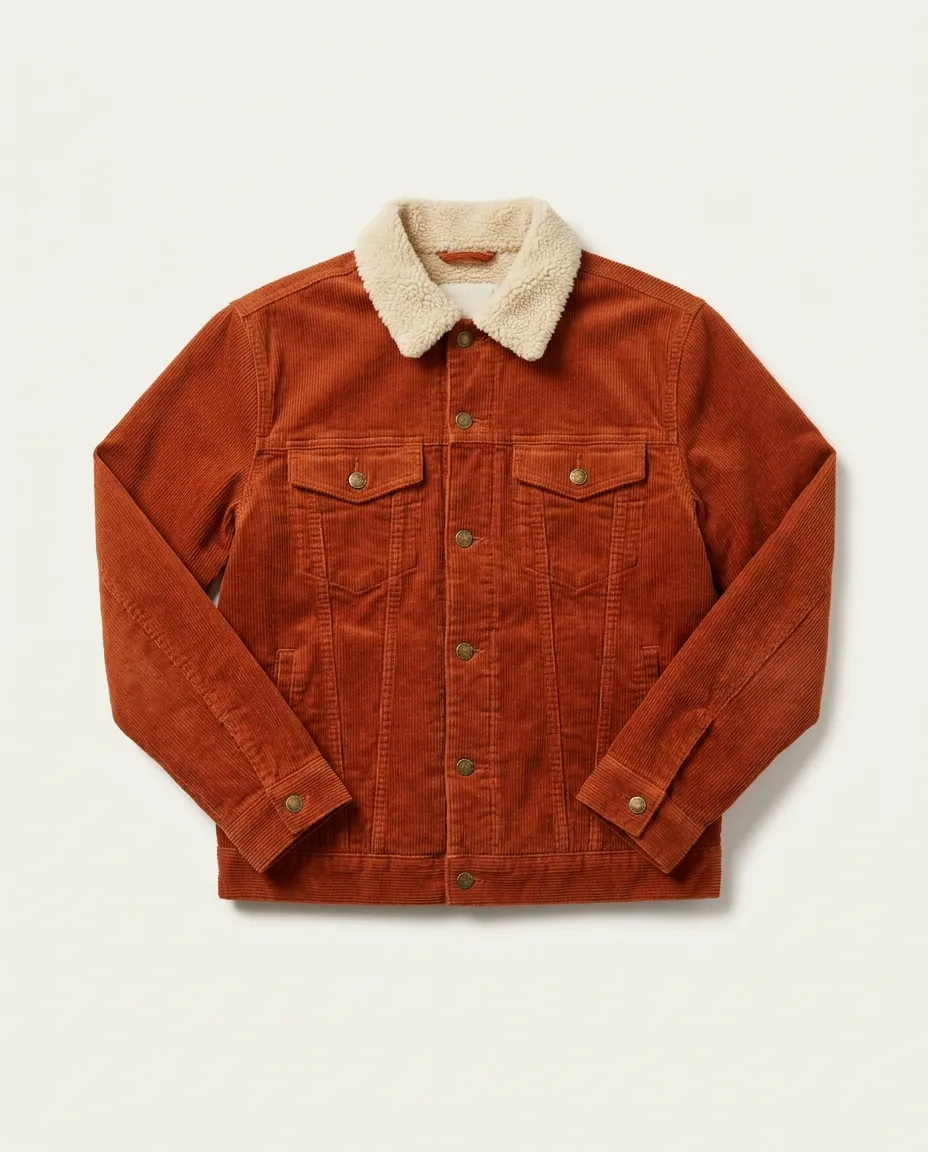
Found something in an online shop? Add your photo and a photo or screenshot of the item. The AI puts that exact garment on you, with its color, print and details.
Man in a grey hoodie standing by a window
You
Product photo of a rust corduroy jacket with a cream sherpa collar
Garment
The same man wearing the rust corduroy jacket with the sherpa collar
Try-on

A jacket from a product page

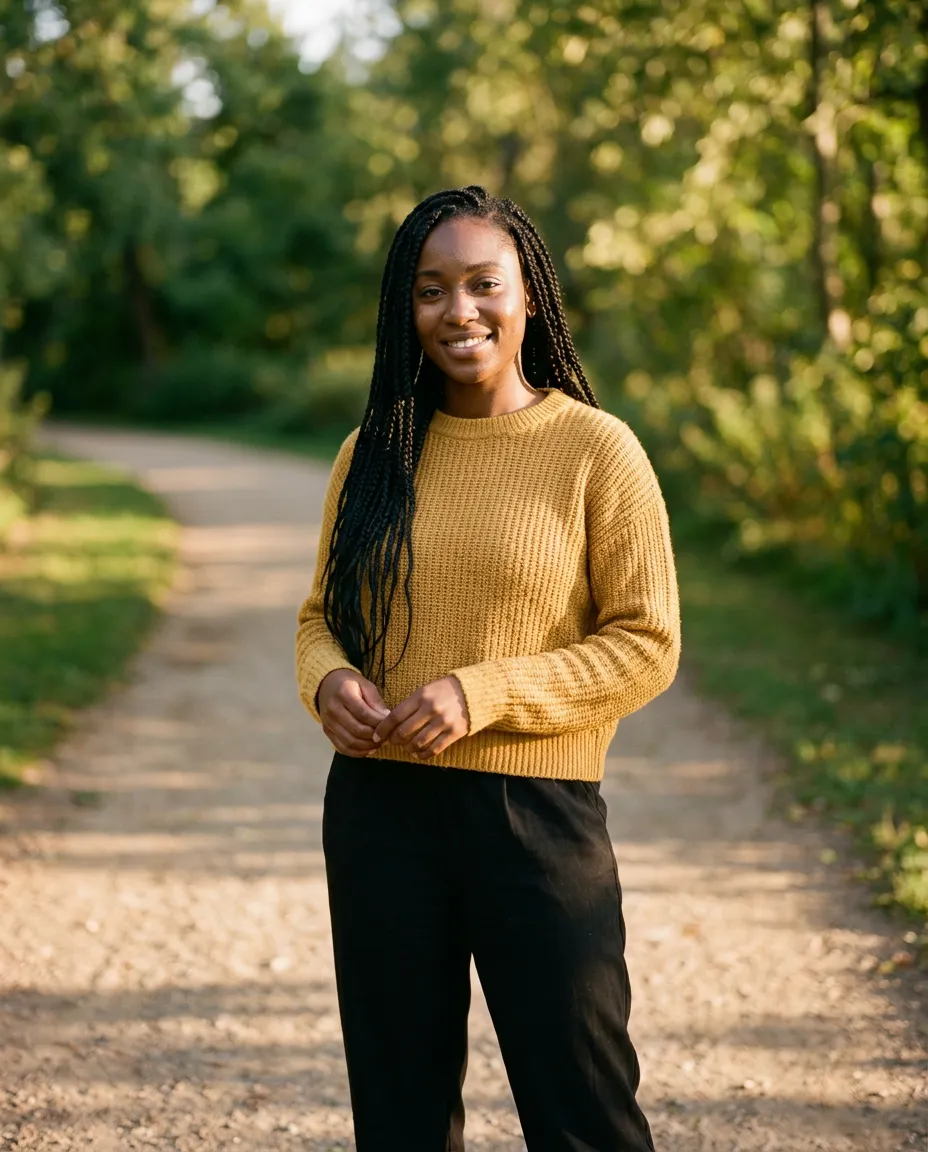
Woman in a mustard sweater on a park path
You
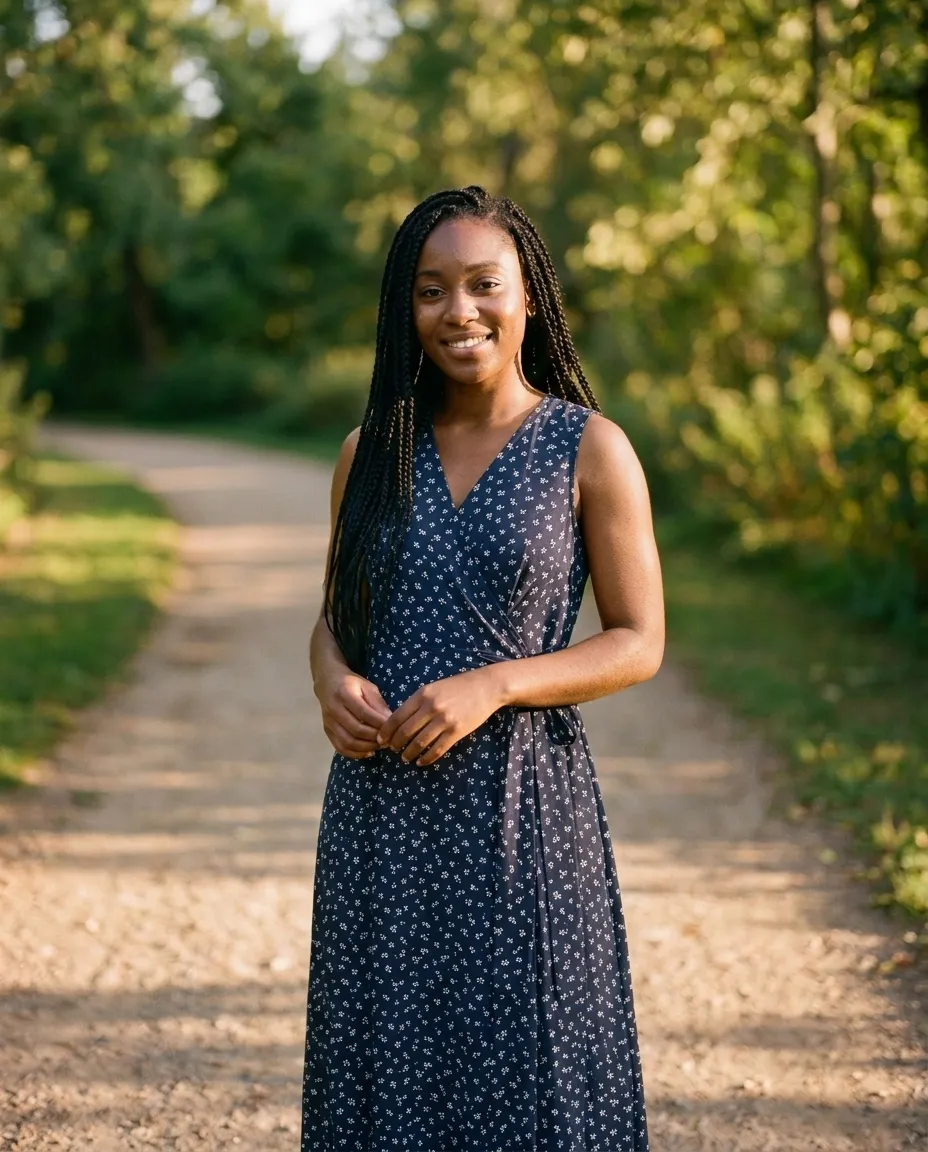
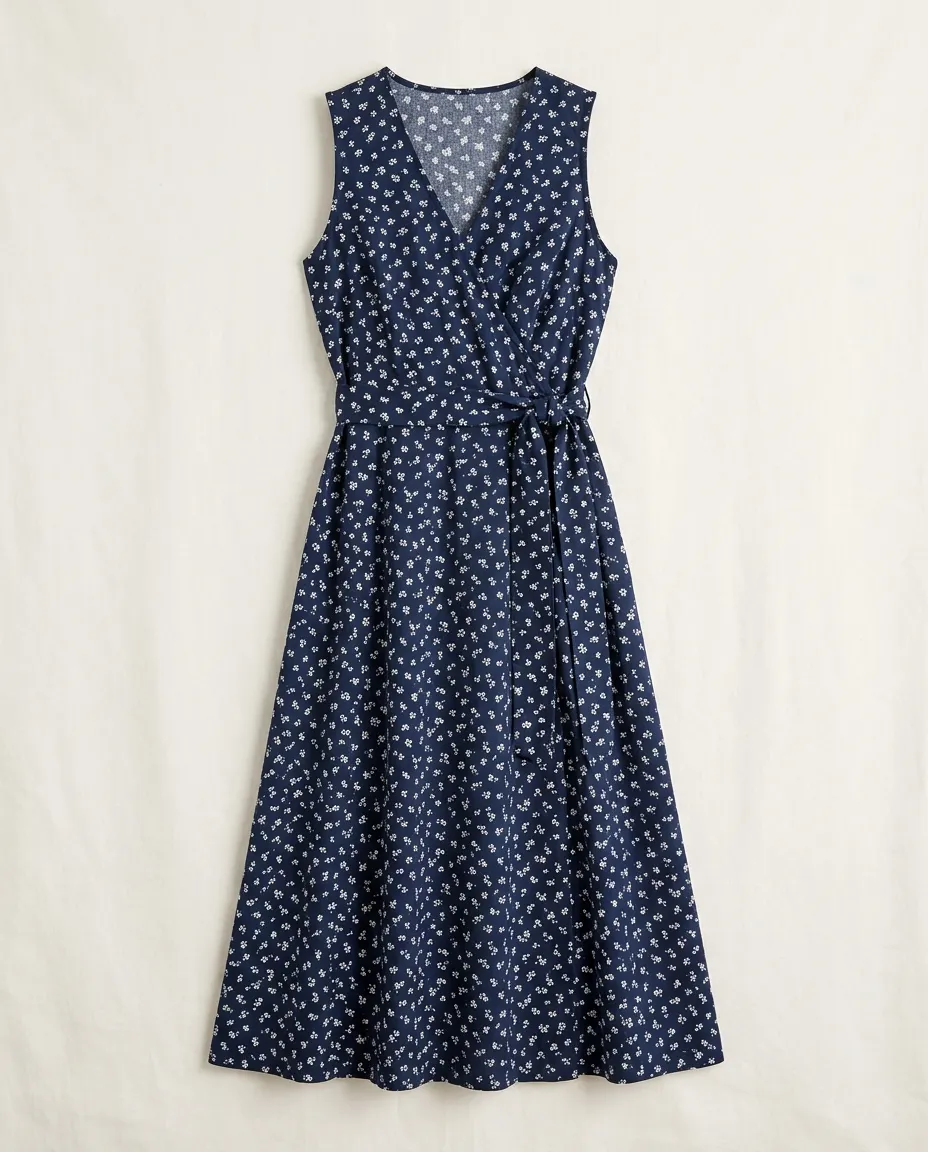
Product photo of a navy floral wrap dress laid flat
Garment
The same woman wearing the navy floral wrap dress
Try-on

A dress you are thinking of buying

Using a garment photo as a reference needs multi-image editing, which is part of every paid plan. The free edit works from a description.

Restyle a photo

Color, accessories, hair: change one thing at a time

Styling is more than the outfit. Recolor a garment, add glasses or a bag, or see a haircut before you commit to it. Drag each photo to compare.
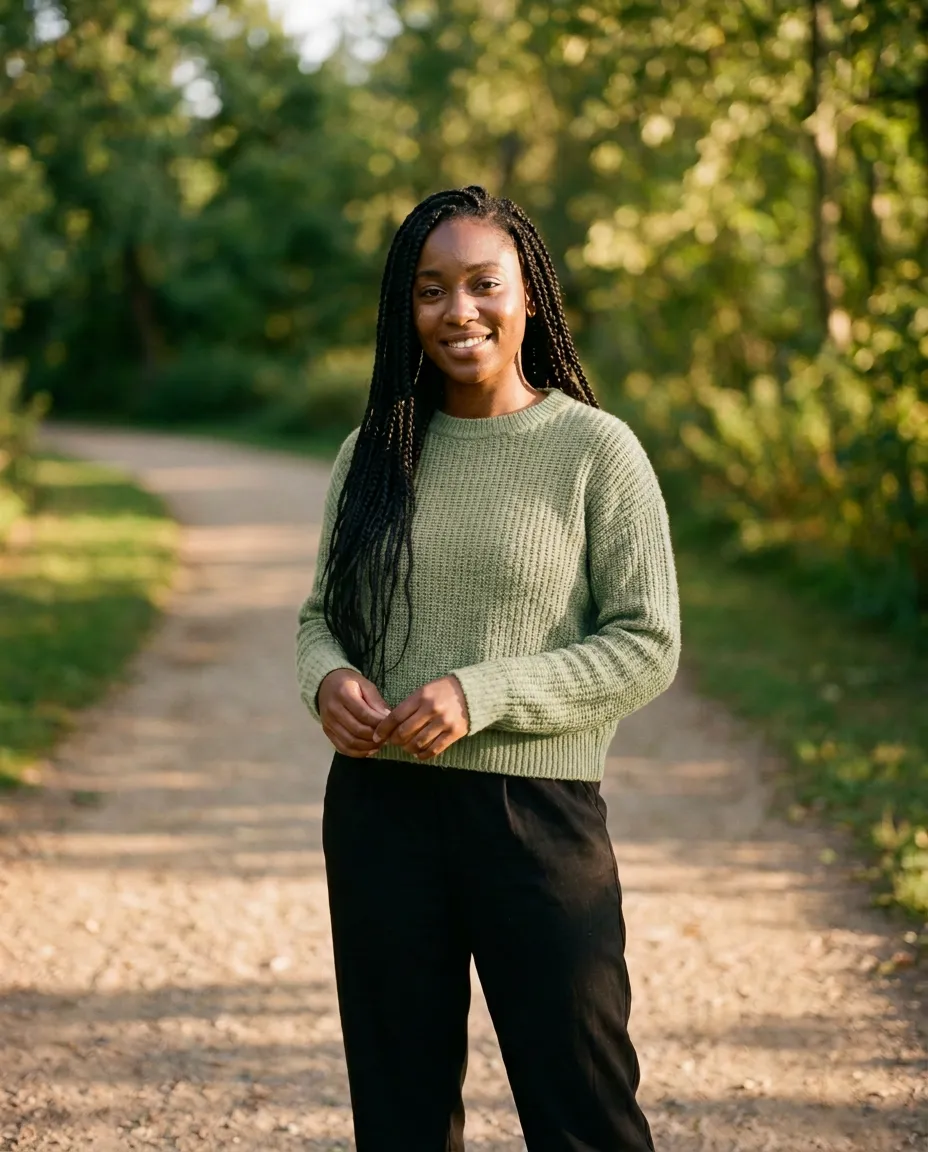
After the edit, the same woman with her sweater recolored to sage green Woman with long braids in a mustard sweater on a park path Before After

Change shirt or dress color

Change a color

“Change her sweater from mustard yellow to sage green”
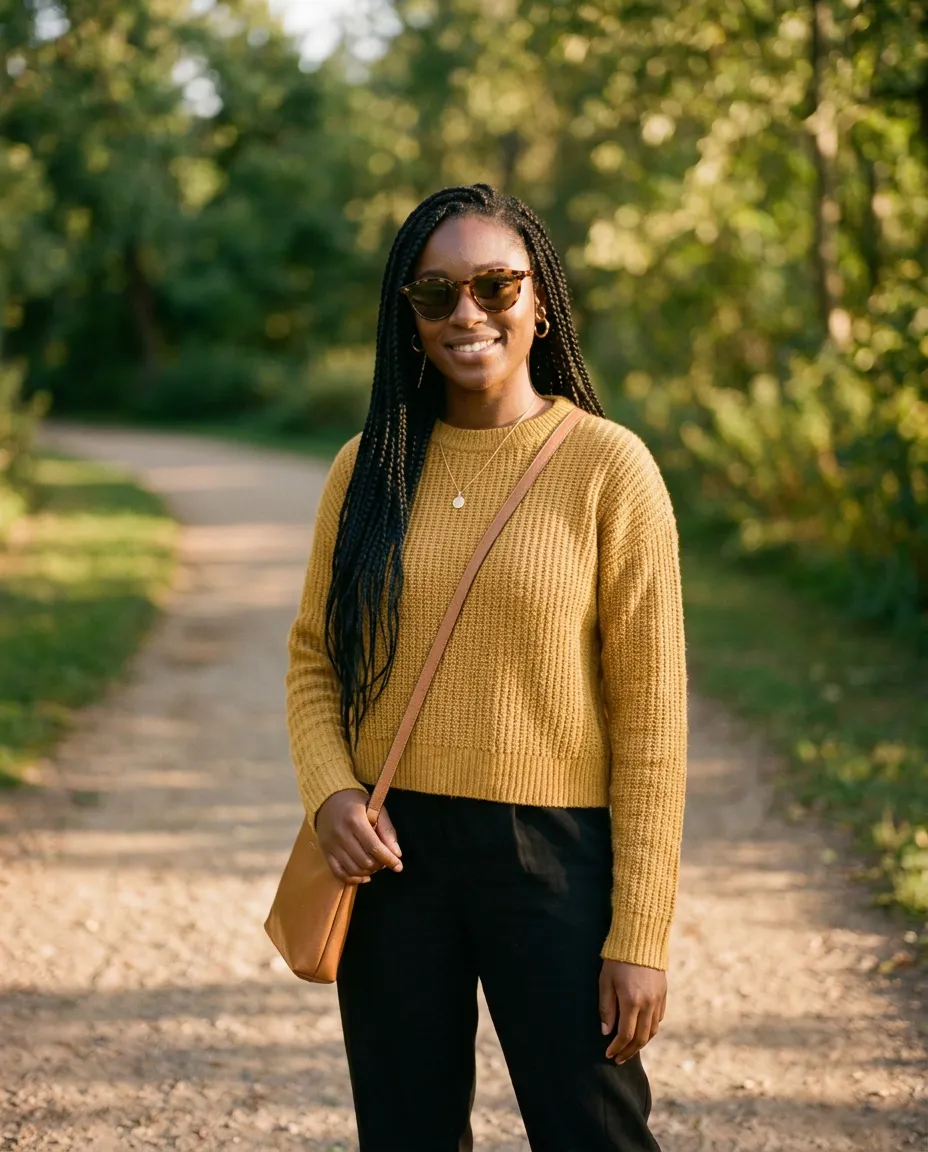
After the edit, the same woman with sunglasses, gold earrings, a necklace and a crossbody bag added Woman with long braids in a mustard sweater on a park path Before After

Try on glasses, jewelry, bags

Add accessories

“Add tortoiseshell sunglasses, gold hoops, a pendant and a tan crossbody bag”
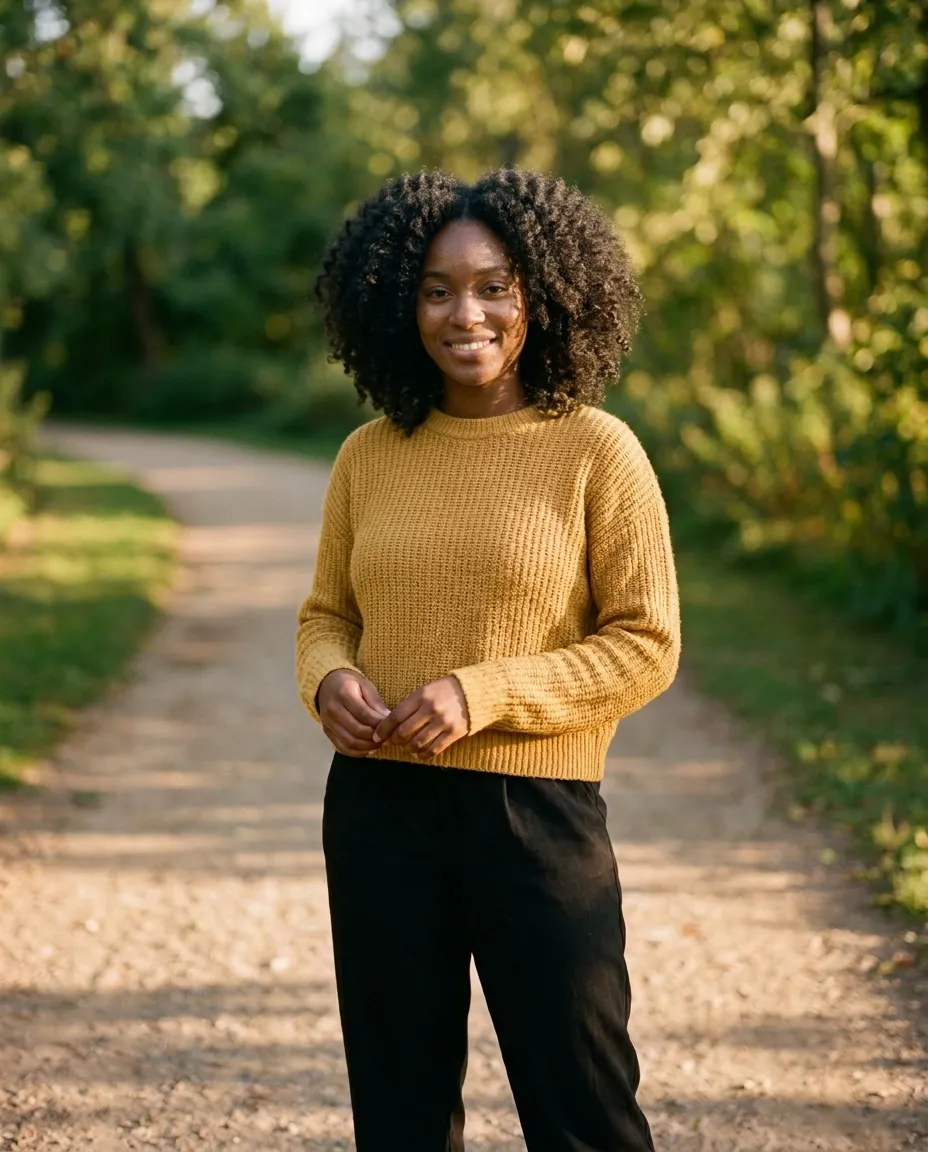
After the edit, the same woman with a shoulder-length curly afro instead of braids Woman with long braids in a mustard sweater on a park path Before After

AI hairstyle changer

Try a hairstyle

“Replace the long braids with a shoulder-length natural afro”
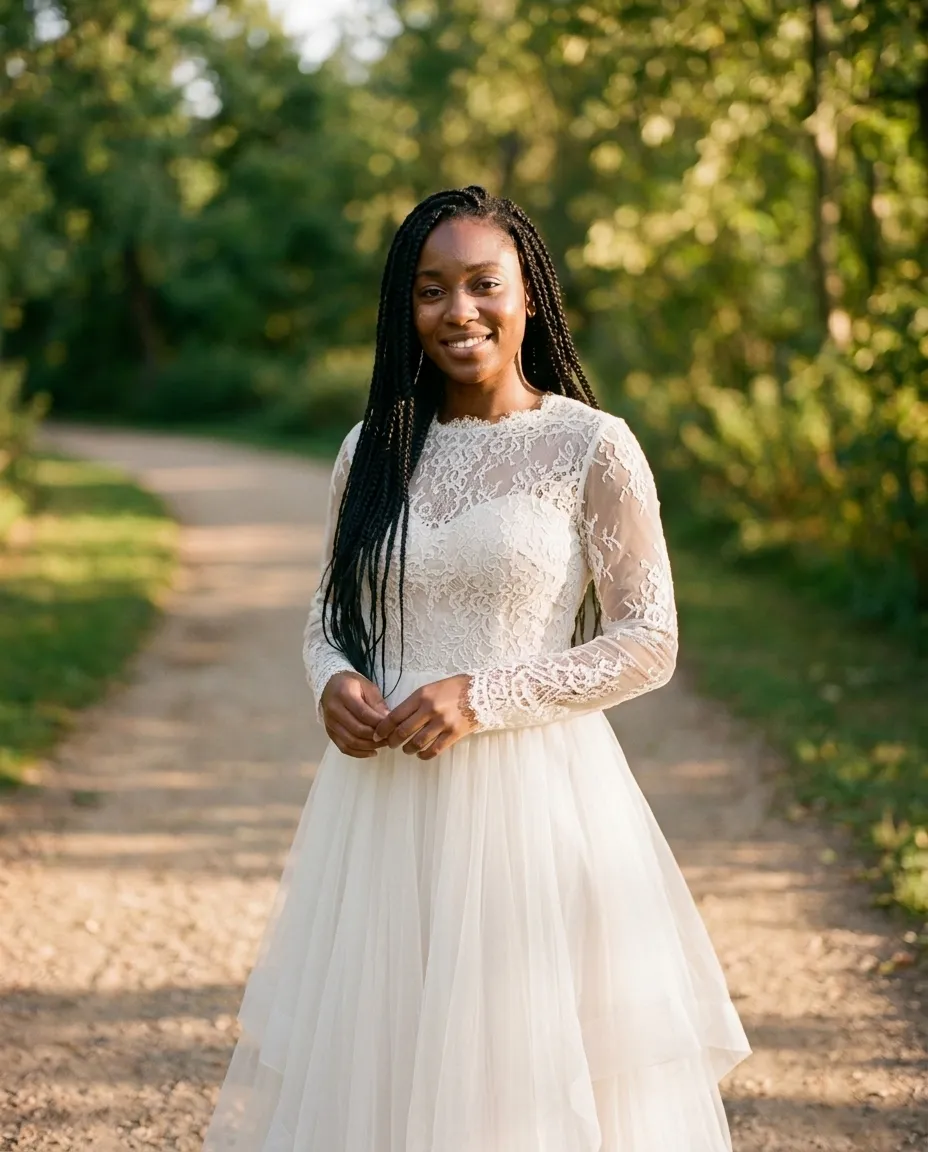
After the edit, the same woman in an ivory lace wedding dress Woman with long braids in a mustard sweater on a park path Before After

Try on a wedding dress

Preview an occasion

“Change her outfit to an ivory wedding dress with a lace bodice and long lace sleeves”

For clothing sellers

From a flat lay to an on-model photo

Shoppers want to see clothes worn. Start from the product photo you already have and generate an on-model shot for the listing, then export it at the exact size your marketplace asks for.
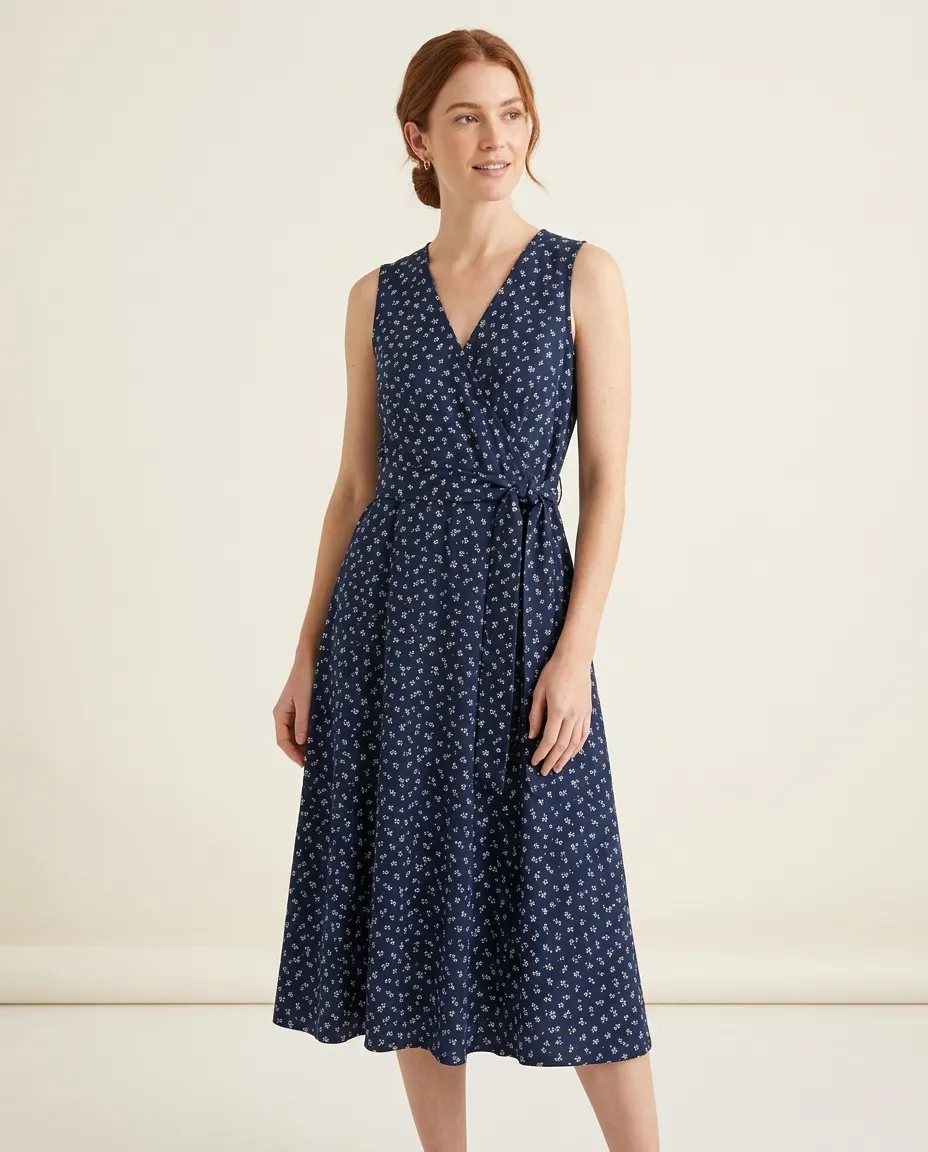
Flat-lay product photo of a navy floral wrap dress
Flat lay
AI-generated model wearing the same navy floral wrap dress in a studio
On model
How it works

How to change clothes in a photo with AI

  1. 01

    Upload a photo

    A clear, well-lit photo where the clothes are visible works best. Full-length, half-length and mirror selfies are all fine.

  2. 02

    Say what to wear

    Type the outfit in plain English, or add a photo of the garment itself and ask for it to be put on.

  3. 03

    Compare and keep going

    Check the result against the original, then refine it: a different color, a longer hem, another pair of shoes.

What to expect

A preview of the look, not a tape measure

What it is good for

  • Seeing whether a style, color or cut suits you
  • Comparing several outfits on the same photo
  • Keeping the face, pose, background and lighting of the original
  • Carrying over a garment's color, print and details from a product photo

What it cannot tell you

  • Which size to order: it does not know your measurements
  • How a fabric really drapes, stretches or feels
  • Whether tiny details came through: check logos, small prints and text before you rely on them
  • Anything hidden in the photo, such as a hem behind a table
Prompts to copy

What to type to change an outfit

Name the garment, the color and the material. Add “keep everything else the same” when you want only the clothes to change.

Outfit swaps

  • Change my outfit to a navy suit and white shirt
  • Put me in a black turtleneck and grey wool trousers
  • Swap the hoodie for a denim jacket over a white tee
  • Dress me in a red cocktail dress and heels

Color and fabric

  • Change the dress color from blue to emerald green
  • Make the t-shirt black instead of white
  • Turn the jeans into beige chinos
  • Make the jacket leather instead of denim

Accessories and hair

  • Add round gold glasses
  • Add a navy tie and a pocket square
  • Give me a short bob haircut
  • Change my hair color to copper red

Occasions

  • Dress me for a job interview at a law firm
  • Put me in a lace wedding dress with long sleeves
  • Give me a black tuxedo for a formal dinner
  • Change my outfit to ski gear with goggles on my head
FAQ

AI clothes changer and virtual try-on: common questions

What is an AI clothes changer? +

It is a photo editor that replaces the clothing in a picture and leaves the rest alone. You upload a photo, describe the outfit you want, and the AI redraws the clothes to fit the pose, lighting and body in the original, keeping the face, hair and background as they were.

How do I change clothes in a photo? +

Upload the photo to ZeroEdit and type an instruction such as "change my outfit to a navy suit and white shirt". Adding "keep everything else the same" helps the edit stay limited to the clothing. Compare the result with the original and send a follow-up instruction if you want to adjust it.

Can I try on a specific item from an online shop? +

Yes. Upload your own photo together with a photo or screenshot of the garment and ask for it to be put on you. Using a second image as a reference is part of multi-image editing, which is included in the paid plans. On the free edit you can describe the garment in words instead.

Will my face and body stay the same? +

That is what the edit aims for: the instruction targets the clothing, and the face, hair, pose and background are kept. Always check the result. If something you did not ask for has changed, say so in a follow-up instruction, for example "keep my face exactly as in the original".

Does a virtual try-on show how clothes will fit me? +

No. It shows how a style, color or cut looks on you, which is useful for deciding whether you like it. It does not know your measurements or the garment's size chart, so it cannot tell you which size to order or how a fabric will really drape.

Is the AI clothes changer free? +

You get 1 free edit when you sign up, with no credit card required. After that, paid plans start at $9 a month for 50 edits and include multi-image editing for try-ons with a garment photo.

Can I change only the color of a dress or shirt? +

Yes. Ask for the specific change, such as "change the dress from blue to emerald green", and the garment keeps its cut, folds and texture while the color changes.

Can it change hairstyles or add accessories too? +

Yes. The same editor handles hairstyles, hair color, glasses, hats, jewelry, bags and shoes. Describe one change at a time for the most predictable result.

Can I use it for my shop's product photos? +

Yes. You can turn a flat-lay or hanger photo into an on-model shot, or show one garment on different models and backgrounds. Paid plans include a commercial license, and batch editing applies one instruction to up to 50 images. Check each result against the real product before you publish it, especially prints, logos and small details.

Which photos work best? +

Photos with good light, one person, and clothing that is not hidden behind bags, arms or furniture. A straight-on pose gives the most reliable result. For a try-on, a clean product photo of the garment on a plain background works better than a busy lifestyle shot.

Whose photos can I edit? +

Edit photos of yourself, or of people who have agreed to it. Do not use the tool to show real people in clothing or situations they have not consented to.

See it on you first.

Upload a photo, describe the outfit, compare. Your first edit is free and needs no credit card.